
888PKR Deposit and Withdrawal Guide 2026
Once you have registered and logged in to 888PKR App, you can use the wallet section to manage deposits and withdrawal requests. For Pakistani users, payment options may include JazzCash and Easypaisa, depending on what is currently available in the account.
The process is fairly simple, but it is worth checking the payment page before every transaction. Available methods, transaction limits, verification requirements, and other conditions can change, so the instructions shown inside your 888PKR account should always be treated as the latest information.
How to Deposit Money in 888PKR Game?
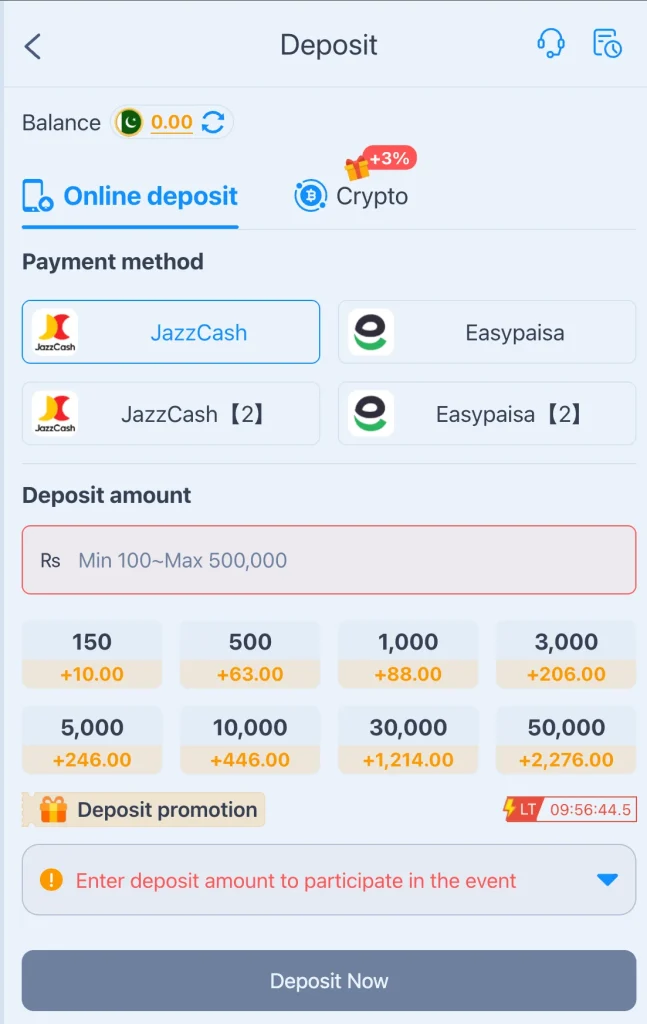
To add funds, log in to your account and open the wallet or deposit section. From there, choose an available payment method and follow the instructions provided on the screen.
| Step | What to Do |
|---|---|
| 1. Log in | Sign in to your registered 888PKR account. |
| 2. Open Wallet | Go to the Wallet or Deposit section. |
| 3. Select Payment Method | Choose an available option, such as JazzCash or Easypaisa. |
| 4. Enter Amount | Enter the amount you want to add and check the displayed limits. |
| 5. Follow Instructions | Complete the payment using the details provided by the platform. |
| 6. Confirm Payment | Review the amount and payment information before completing the transaction. |
| 7. Check Your Balance | Return to your account and confirm that the funds have been credited to your wallet. |
Tip: Keep your payment receipt or transaction reference until the deposit has been successfully reflected in your 888PKR balance.
How to Withdraw Money from 888PKR?
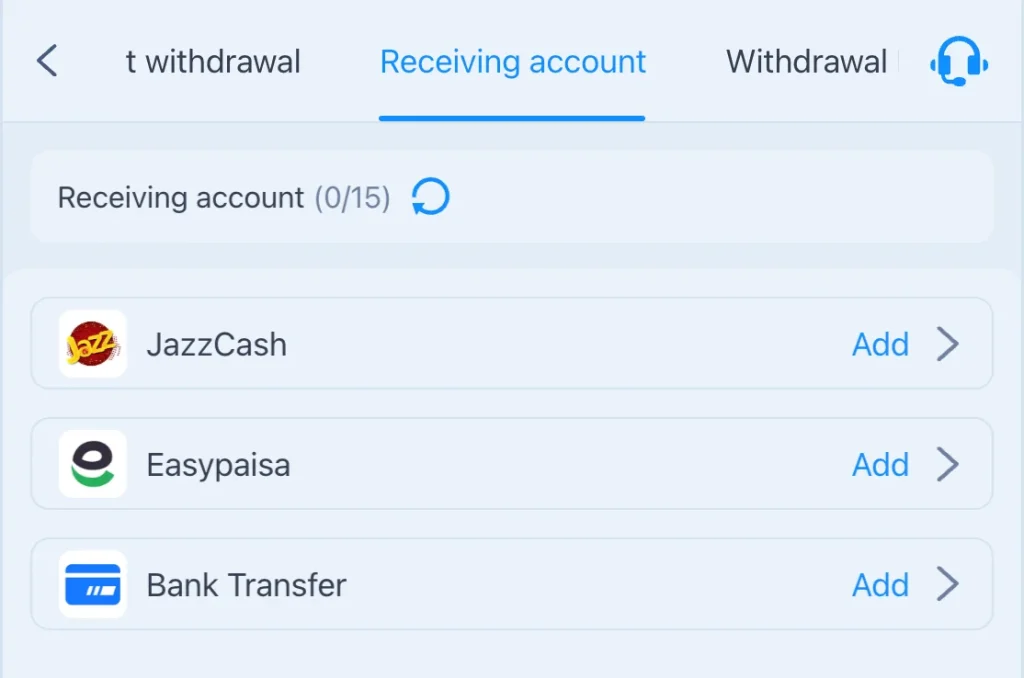
If your account has an available balance that can be withdrawn, you can submit a request from the withdrawal section. The exact payment options and requirements may vary, so check the instructions displayed in your account before submitting the request.
| Step | What to Do |
|---|---|
| 1. Log in | Open your registered 888PKR account. |
| 2. Open Withdraw | Go to the Wallet or Withdraw section. |
| 3. Choose a Method | Select one of the withdrawal methods currently available to you. |
| 4. Enter Amount | Enter the amount you want to withdraw within the displayed limits. |
| 5. Add Payment Details | Provide the required JazzCash, Easypaisa, or other payment details carefully. |
| 6. Review Request | Double-check the amount and payment information before submitting. |
| 7. Submit & Track | Confirm the withdrawal request and check its status from your account when available. |
888PKR Deposit and Withdrawal Methods
For Pakistani users, JazzCash and Easypaisa may be among the payment options available on 888PKR. However, it is better to check the payment section of your account rather than assuming that every method is available at all times.
| Payment Method | Deposit | Withdrawal |
|---|---|---|
| JazzCash | Check current availability in your account | Check current availability in your account |
| Easypaisa | Check current availability in your account | Check current availability in your account |
| Other Available Methods | Depends on the options shown in your account | Depends on the options shown in your account |
What to Check Before Depositing or Withdrawing?
A few simple checks can help avoid unnecessary payment problems. Make sure the amount is correct, use the payment details provided by the platform, and review any transaction limits or verification requirements before confirming the request.
If a payment is unsuccessful or your balance does not update as expected, keep the transaction reference and use the platform’s available support channel. Avoid sending your password or OTP to anyone claiming they can complete or speed up a transaction.